

In this article, you will learn all about the eleven functions related to “DateAndTime”. To be precise, we will discuss the following functions:
Add Days
Add a specified number of days to the given date
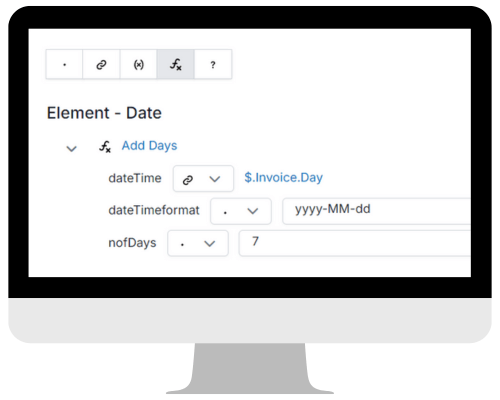
dateTime:
dateTimeformat:
nofDays:
Connect “dateTime” with the element in your Source Schema to which you want to add the specified number of days
Specify the format in which your date is structured, for example, yyyy-MM-dd
Choose the number of days you would like to add
Add Months
Add a specified number of months to the given date
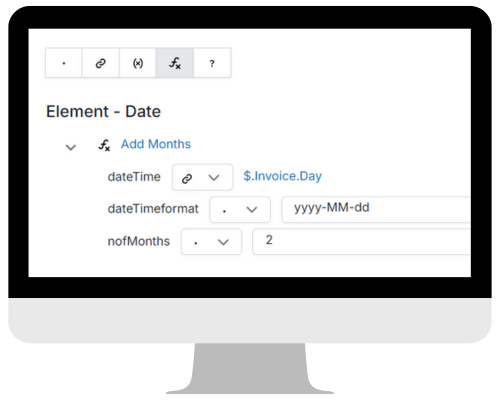
dateTime:
dateTimeformat:
nofMonths:
Connect “dateTime” with the element in your Source Schema to which you want to add the specified number of months
Specify the format in which your date is structured, for example, yyyy-MM-dd
Choose the number of months you would like to add
Add Years
Add a specified number of years to the given date
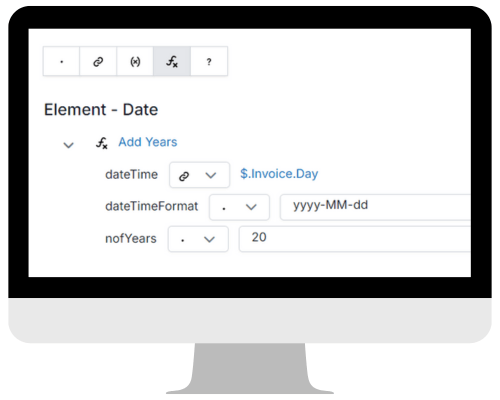
dateTime:
dateTimeformat:
nofYears:
Connect “dateTime” with the element in your Source Schema to which you want to add the specified number of years
Specify the format in which your date is structured, for example, yyyy-MM-dd
Choose the number of years you would like to add
Combine Date and Time
Combine date and time into one element
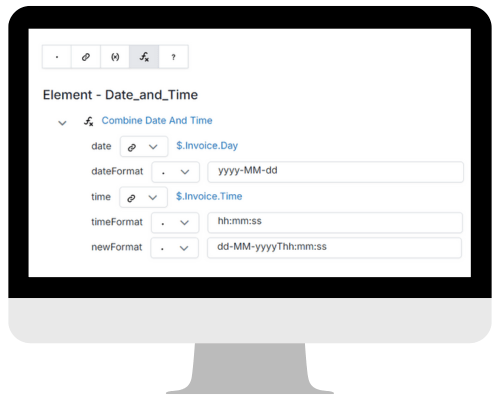
date:
dateFormat:
time:
timeFormat:
newFormat::
Connect “date” with the element in your Source Schema that represents the date
Specify the format in which your date is structured, for example, yyyy-MM-dd
Connect “time” with the element in your Source Schema that represents the time
Specify the format in which your time is structured, for example, hh:mm:ss
Specify the format in which you combine date and time, for example, dd-MM-yyyyThh:mm:ss
Convert Date Time
Change the format in which date time is notated
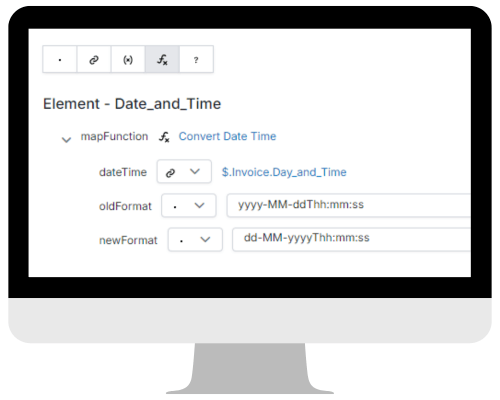
dateTime:
oldFormat:
newFormat:
Connect “dateTime” with the element in your Source Schema that represents the date and tim
Specify the format in which your date and time is structured, for example, yyyy-MM-ddThh:mm:ss
Specify the format in which your new date and time should be structured, for example, dd-MM-yyyyThh:mm:ss
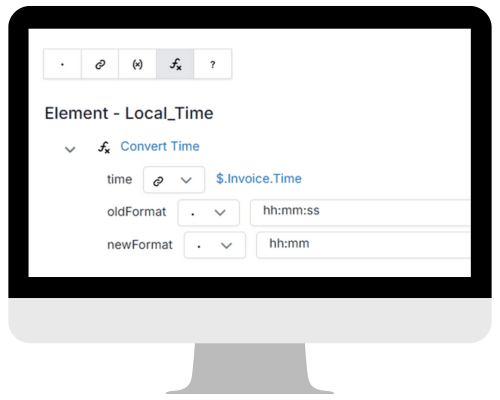
Convert Time
Change the format in which time is notated
time:
oldFormat:
newFormat:
Connect “time” with the element in your Source Schema that represents the time
Specify the format in which your original time is structured, for example, hh:mm:ss
Specify the format in which your new time will be structured, for example, hh:mm
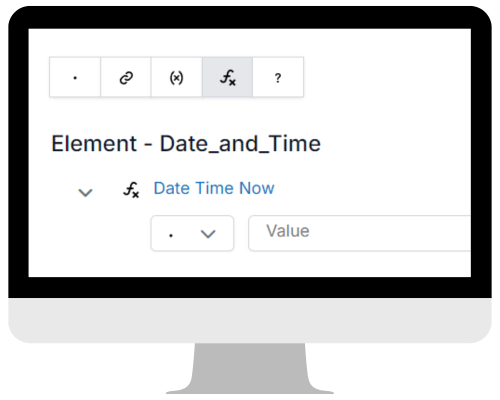
Date Time Now
The Local Date and Time
xxxxxxxxxxxxxxxx
xxxxxxxxxxxxxxxxxxxxxxxxxxxxxxxx
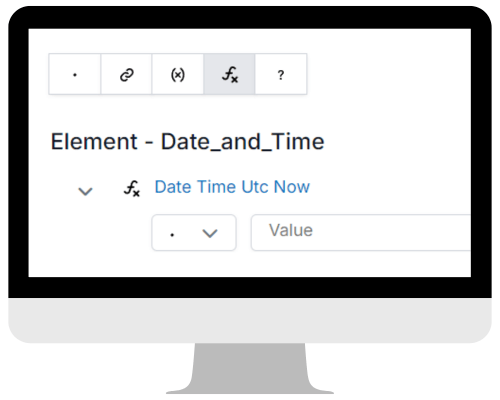
Date Time Utc Now
Coordinated Universal Time
xxxxxxxxxxxxxxxx
xxxxxxxxxxxxxxxxxxxxxxxxxxxxxxxx
Get Max Date
Get the latest date from the specified set of dates
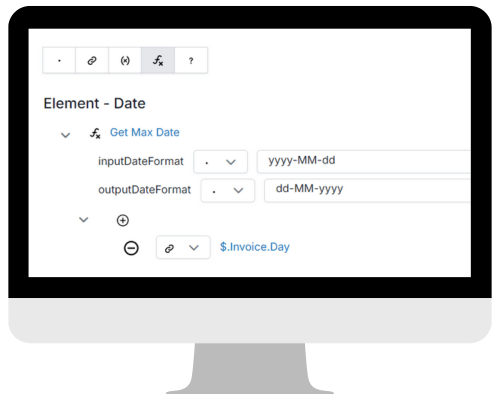
inputDateFormat:
outputDateFormat:
Specify the format in which your original date is structured, for example, yyyy-MM-dd
Specify the format in which your new date will be structured, for example, dd-MM-yyyy
Compare all values that are structured like yyyy-MM-dd OR compare a specific value
Get Min Date
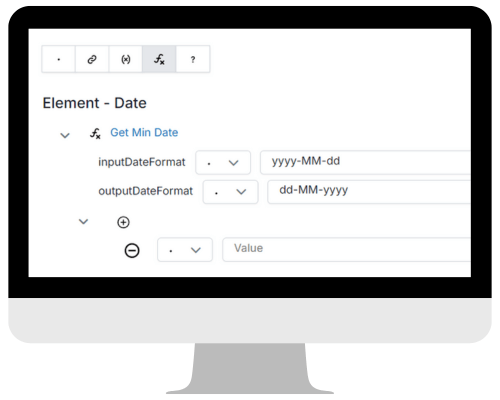
Get the earliest date from the specified set of dates
inputDateFormat:
outputDateFormat:
Specify the format in which your original date is structured, for example, yyyy-MM-dd
Specify the format in which your new date will be structured, for example, dd-MM-yyyy
Compare all values that are structured like yyyy-MM-dd OR compare a specific value
Get Week Number
Get a week number of a specific date
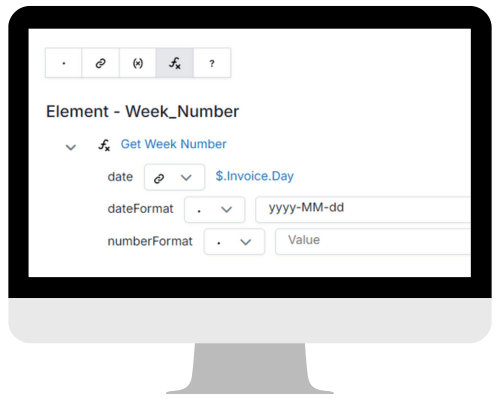
date:
dateFormat:
numberFormat:
Connect “date” with the element in your Source Schema that represents the date
Specify the format in which your date is structured, for example, yyyy-MM-dd
If you prefer a fixed number of digits, enter as many zeroes as your preference. (Default = week number without zeroes)
 XMap
XMap 
Leave a comment